---
updatedAt: 2025-11-07T16:21:14.000Z
agentTools:
projectIndex: https://developers.heap.io/llms.txt
---
# Ignoring Sensitive Data and PII
## Target Text Autocapture toggle
Admins can control the capture of sensitive information that lives on the target text of elements by turning on the Target Text Autocapture toggle on the \*\*Account > Manage > [Privacy & Security\*\*](https://heapanalytics.com/app/manage/privacy-and-security) page.
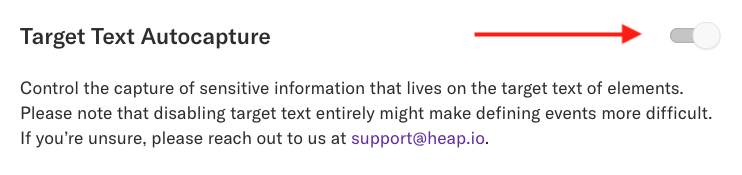
Please note that disabling target text entirely might make creating event s more difficult. Also, if you have this setting enabled while using the APIs listed below (e.g. disableTextCapture), then the most privacy-conscious setting will win.
## Precise data redaction via Heap Redact
You can redact a page title or an element’s target text by using `data-heap-redact-text`. The underlying interactions will still be captured (ex. pageview, click) but the sensitive parts will be replaced by \*\*\*\* in your Heap dataset before it leaves the browser.
Code snippet for redacting a page title:
```html
Page Title
...
```
Code snippet for redacting the text of an element:
```html
Social Security Number
```
If sensitive data lives in an element’s target text, attribute, or in a page title, you can hide it from Heap by using `data-heap-redact-attributes`. The content of these attributes will be redacted before it leaves the browser. Keep in mind that if there are no values defined for `data-heap-redact-attributes`, nothing will be redacted.
The underlying interaction will still be captured (ex. a click) but the sensitive part will be replaced by \*\*\* in your Heap dataset before it leaves the browser.
Code snippet for redacting sensitive data living in an attribute:
```html
```
Note that the `id` attribute specifically can't be redacted using `data-heap-redact-attributes`; in the unlikely event that your app places sensitive data in the `id` attribute, you may consider using `heap-ignore` on the element in question to make sure that the `id` values are not captured.
> 📘
>
> By adding **heap-ignore** to an element, you exclude an element from being tracked in its entirety, not just the sensitive part(s). **heap-redact** will capture that an event occurred, but redact the data attributes.
## Global data redaction via Disabling Text Capture
If you wish to redact the text content of elements on all pages (not locally), then you can set `disableTextCapture`. `disableTextCapture` will redact all target text on your website. We recommend adding [Snapshots](https://help.heap.io/heap-administration/data-management/snapshots/) when text collection is necessary.
```javascript
heap.load("YOUR_APP_ID", {
disableTextCapture: true
});
```
Note that `disableTextCapture` doesn't work on page titles. To selectively redact a page title, use the following snippet:
```html
```
For more information on Heap's data privacy options, see [How do I use Heap to comply with data privacy legislation?](https://help.heap.io/data-privacy/data-privacy-faqs/how-do-i-use-heap-to-comply-with-data-privacy-legislation/)